Linear Regression
Linear Regression plots a straight line that best fits the data prices.
Visual Example
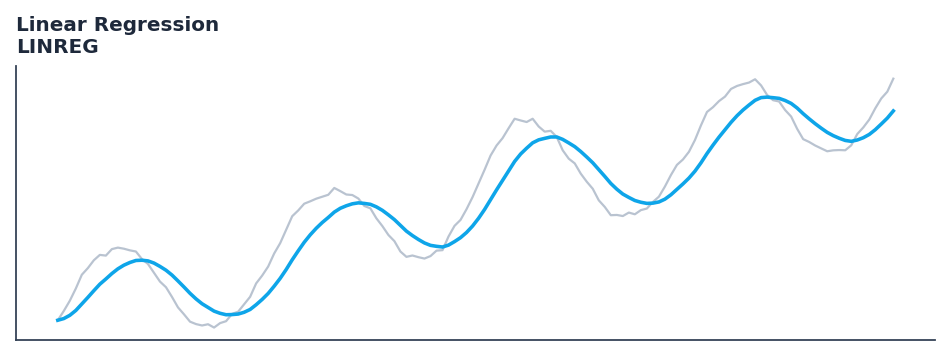
Synthetic ideal per library logic. Generated 2026-07-01 IST via docs/generate_all_previews.py (reproducible; maps to core Next<T> implementation).
Description
Linear Regression plots a straight line that best fits the data prices.
Use for statistical analysis of price series: linear regression, standard deviation, correlation coefficients, and other descriptive statistics used as indicator inputs.
Native Rust implementation with gold-standard or TA-Lib parity tests where applicable.
Standard statistical measures provide the mathematical foundation for many technical indicators. Linear regression finds the best-fit line through price, standard deviation quantifies dispersion, and correlation coefficients measure how closely two series move together — all are essential for quantitative strategy construction.
Typical applications:
- Size stops and position risk from band width or ATR expansion
- Detect squeeze conditions (narrow bands) before breakout systems
- Warm-up: first
14bars build rolling volatility state - Combine with trend direction (SuperTrend, MACD) for breakout bias
QuantWave implements this via the universal Next<T> trait — bit-identical across Rust streaming, Python streaming, and Polars .ta() batch plugins.
Formula / Specification
Implementation (quantwave-core/src/indicators/statistics.rs):
Gold-standard parity vectors: quantwave-core/tests/gold_standard/linreg.json.
Parameters
| Parameter | Default | Description |
|---|---|---|
period |
14 | Period |
Usage Examples
Streaming (Rust)
use quantwave_core::indicators::LINREG;
use quantwave_core::traits::Next;

let mut ind = LINREG::new(14);
for price in &prices {
    let value = ind.next(price);
}
Streaming (Python)
Polars Batch (Python)
import polars as pl
import quantwave as qw

def apply_linear_regression(series: pl.Series) -> pl.Series:
    ind = qw.LINREG(14)
    return pl.Series([ind.next(float(v)) for v in series.to_list()])

df = (
    pl.read_csv('ohlcv.csv')
    .lazy()
    .with_columns(
        pl.col("close").map_batches(apply_linear_regression, return_dtype=pl.Float64).alias("linear_regression")
    )
    .collect()
)
All surfaces are bit-identical via the single Next<T> implementation and proptests.
Edge Cases & Limitations
- Warm-up: first
14bars may return NaN or partial state per implementation. - Parameter sensitivity: smaller periods increase noise; larger periods increase lag.
- Sudden gaps or bad ticks can distort rolling windows — consider pre-filtering.
- Single-series indicators ignore volume unless otherwise documented.
- Validated via proptests against gold-standard vectors where available.
- No look-ahead bias; streaming and Polars batch paths are bit-identical.
Boundary Behavior
| Condition | Behavior |
|---|---|
| Warm-up | Leading bars return NaN until warmup_bars is satisfied. |
| period > len | When period exceeds series length, output is all NaN. |
| NaN inputs | NaN in input propagates to output (NaN out). |
| Invalid params | Non-positive period or missing required params raise ValueError. |
| Empty data | Empty input returns an empty result series. |
Related Indicators & See Also
Sources & References
Primary Source: https://www.investopedia.com/terms/l/linearregression.asp
Implementation: quantwave-core/src/indicators/statistics.rs (LINREG / LINREG_METADATA).
Parity: quantwave-core/tests/gold_standard/linreg.json
Provenance: Standards bulk upgrade 2026-07-01 IST — see docs/DOCUMENTATION_STANDARDS.md.